
FFII Bestiary - For Rpg Maker MZ
A downloadable Rpg Maker MZ - Plugin
GENERAL
Updated to version 1.3.0!
This update focuses on stability, compatibility with existing save files, and several bug fixes reported by users.
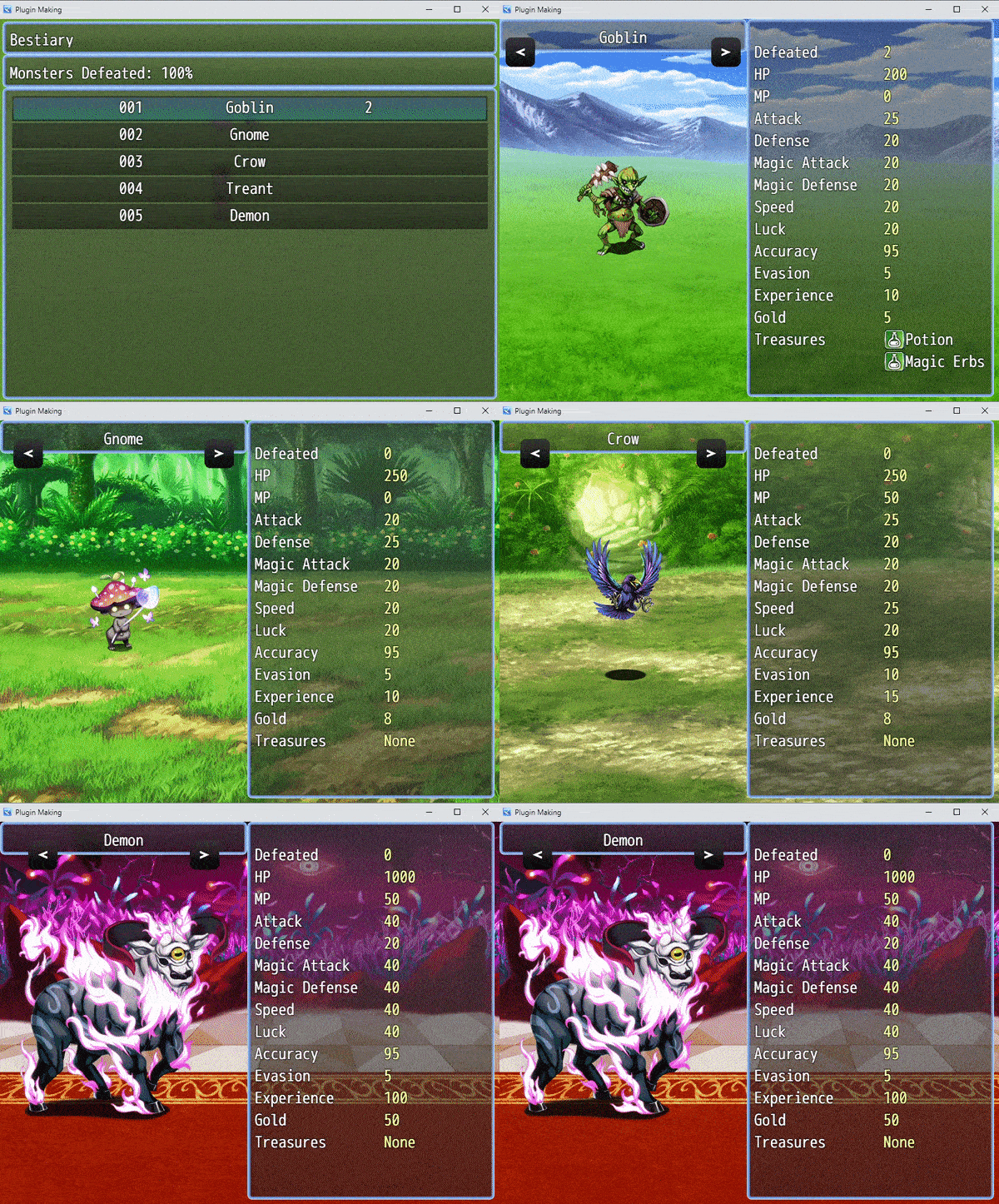
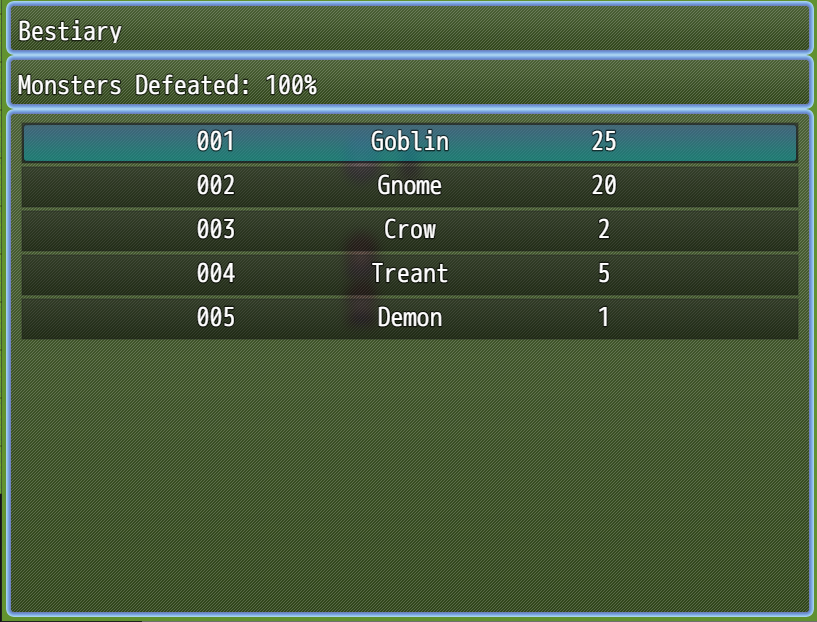
FFII Bestiary is a plugin for RPG Maker MZ that adds a clean and classic bestiary system inspired by the monster catalogue seen in Final Fantasy II.
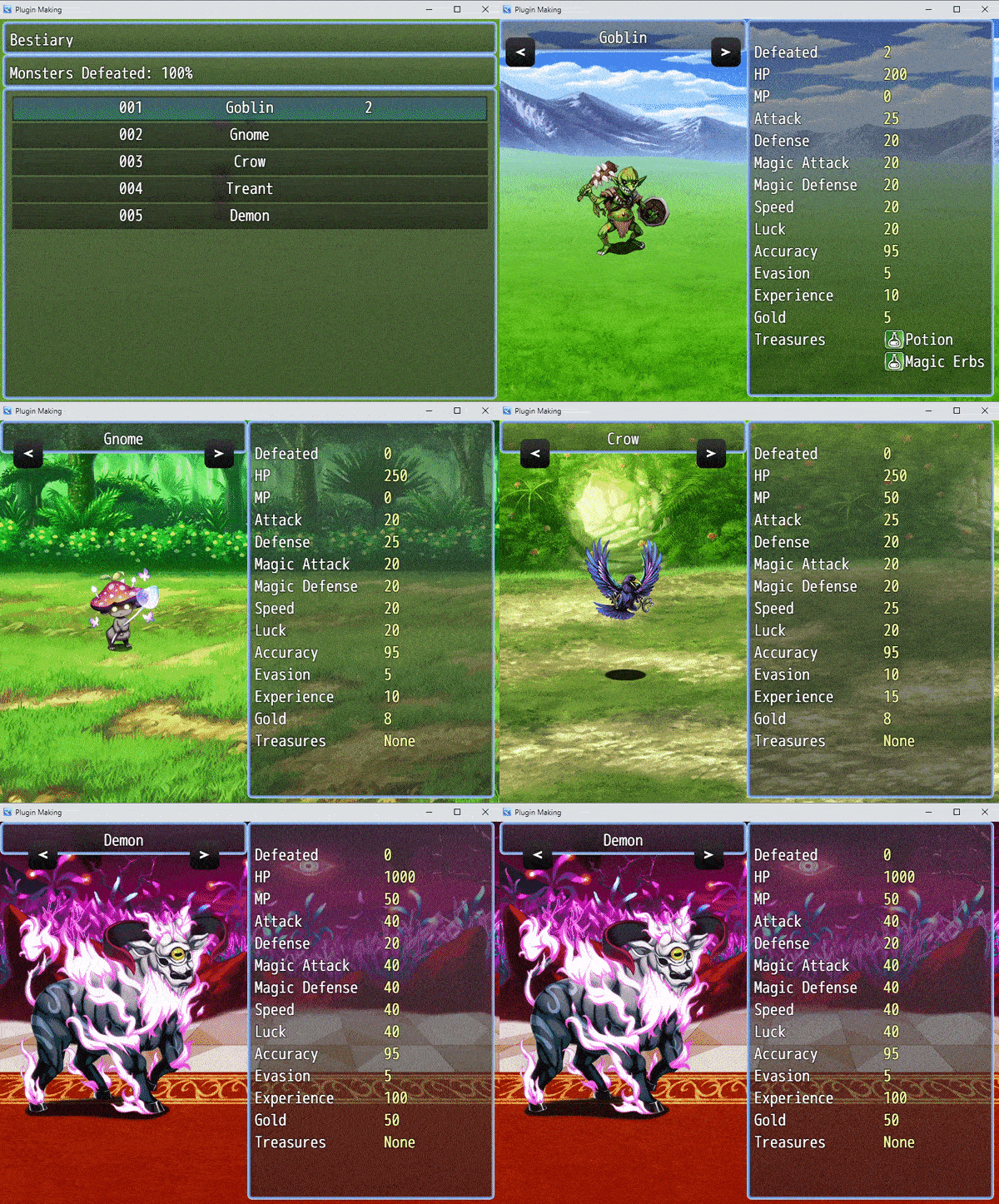
The plugin creates a dedicated Bestiary scene where players can browse registered enemies, check how many times each monster has been defeated, and view customizable enemy information such as HP, MP, parameters, rewards, treasures and more.
It is designed for RPG projects that need a simple, readable and customizable monster archive.
VERSION 1.3.0 UPDATE
Version 1.3.0 is mainly a bugfix and stability update. This version fixes several issues that could affect real projects, especially when using existing save files or navigating the bestiary detail scene. Main fixes: Fixed locked monsters sometimes appearing as unlocked after loading a save file. Fixed side navigation inside the enemy detail scene. Fixed navigation so it only moves between actually unlocked enemies. Fixed enemy revival handling. Fixed asynchronous image loading issues when changing enemy entries quickly. Fixed treasure previews so drop items are shown deterministically instead of being rolled randomly. Improved compatibility with save files created with previous versions. Improved plugin descriptions and English help text. If you are already using the plugin in a project, updating to this version is strongly recommended.
MAIN FEATURES
- Bestiary system inspired by Final Fantasy II.
- Dedicated enemy list scene.
- Enemy detail / showcase scene.
- Enemy registration system.
- Enemy defeat counter.
- Bestiary completion percentage.
- Customizable bestiary name.
- Customizable locked and unlocked enemy text.
- Customizable battlebacks for each enemy.
- Customizable information window.
- Support for escape codes in displayed text.
- Plugin command to force unlock enemies.
- Plugin command to show or hide the Bestiary command in the menu.
- Compatibility support for VisuStella Main Menu Core.
- RPG Maker MZ side-view enemy support.
HOW ENEMIES ARE REGISTERED
Enemies are registered inside the bestiary when:
- the enemy is defeated;
- the party successfully escapes from a battle containing that enemy;
- the enemy is manually unlocked through the plugin command.
Once an enemy is registered, it becomes available in the Bestiary list and can be opened in the detail scene.
ENEMY DETAILS WINDOW
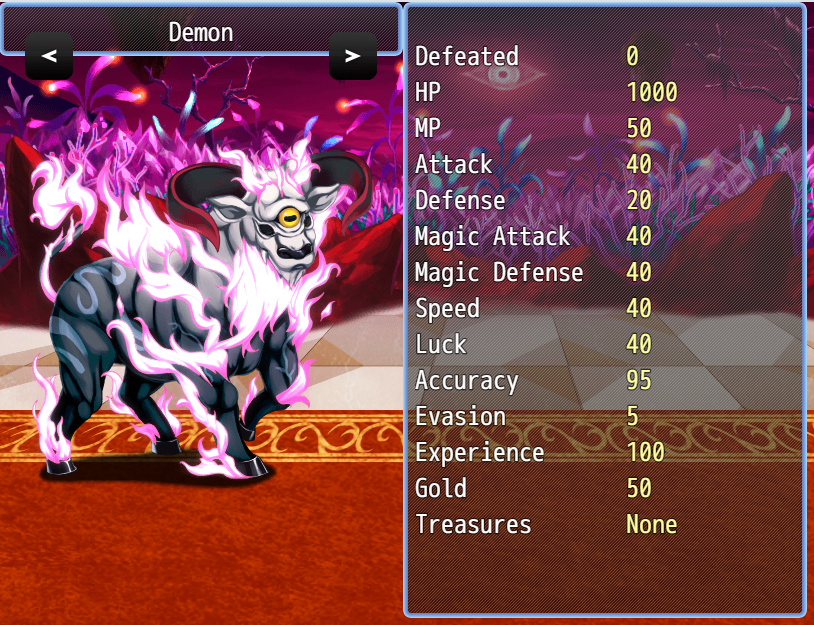
The detail window is highly customizable. By default, you can show common enemy information such as:
- Defeated count;
- HP;
- MP;
- Attack;
- Defense;
- Magic Attack;
- Magic Defense;
- Speed;
- Luck;
- Accuracy;
- Evasion;
- Experience;
- Gold;
- Treasures.
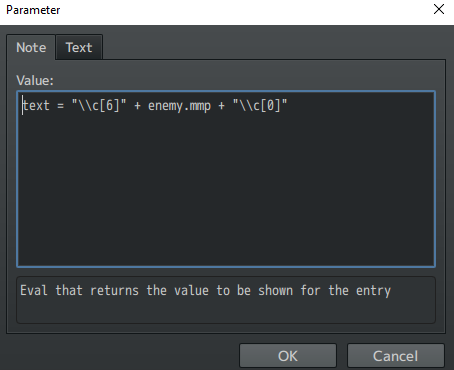
Each line can be customized from the Plugin Manager. The value field uses JavaScript and assigns the result to the text variable, allowing advanced users to create their own custom information lines. You can also use escape characters / escape codes in both the line name and the displayed value.
CUSTOM BATTLEBACKS
You can customize the battleback images shown behind each enemy in the detail scene.
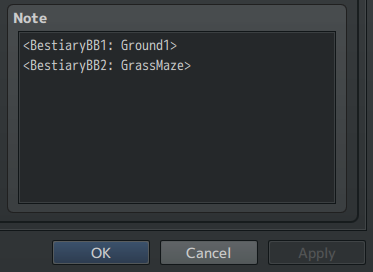
Add these notetags inside the enemy Note box:
<BestiaryBB1: filename>
<BestiaryBB2: filename>
Example:
<BestiaryBB1: Ground1>
<BestiaryBB2: GrassMaze>
The images are loaded from:
img/battlebacks1/
img/battlebacks2/
If no notetags are used, the plugin will use the default battlebacks selected in the Plugin Manager.
PLUGIN PARAMETERS
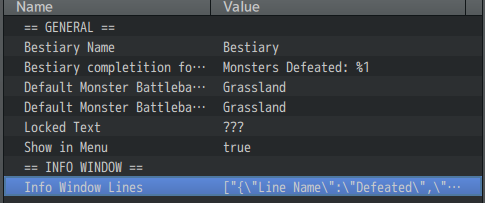
Bestiary Name
The name shown in the Bestiary header and used as the menu command name.
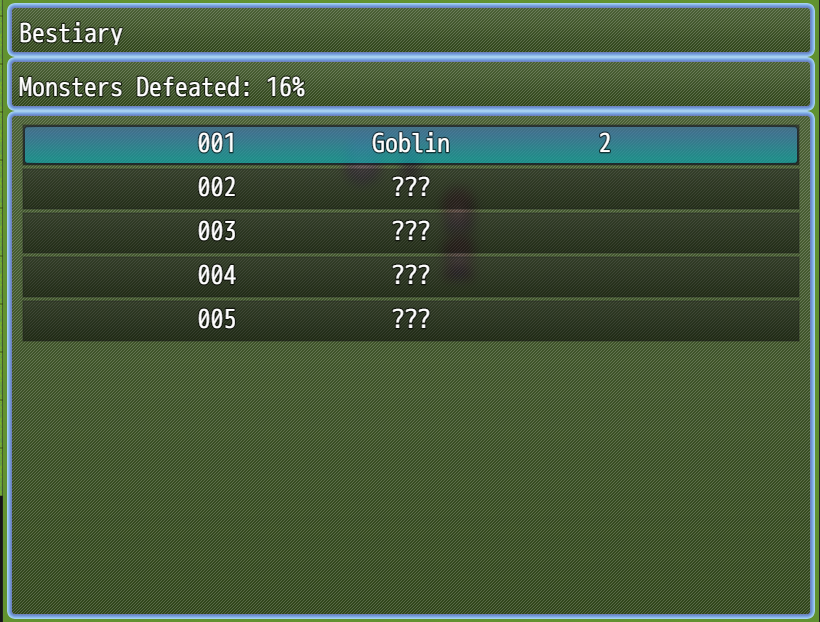
Bestiary Completion Format
The text shown in the completion window.
Use %1 to display the completion percentage.
Example:
Monsters Defeated: %1
Default Monster Battleback1
The default battleback1 image used when an enemy does not have a custom notetag.
Default Monster Battleback2
The default battleback2 image used when an enemy does not have a custom notetag.
Locked Text
The text shown when an enemy entry is still locked.
Example:
???
Unlocked Text
The text shown when an enemy entry is unlocked.
Use %1 to display the enemy name.
Example:
%1
Show in Menu
Determines if the Bestiary command is shown in the default RPG Maker MZ menu.
If you are using VisuStella Main Menu Core, please check the compatibility section below.
Info Window Lines
This is the list of information lines shown in the enemy detail window.
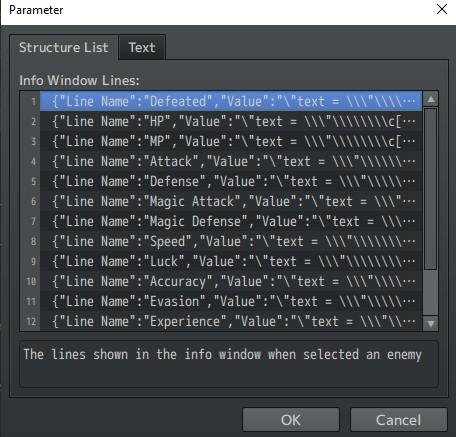
Each entry contains:
- Line Name: the name shown on the left;
- Value: JavaScript code that assigns the displayed value to the text variable.
Available variables include:
enemyId
The database ID of the selected enemy.
enemy
A Game_Enemy object created from the selected enemy.
PLUGIN COMMANDS
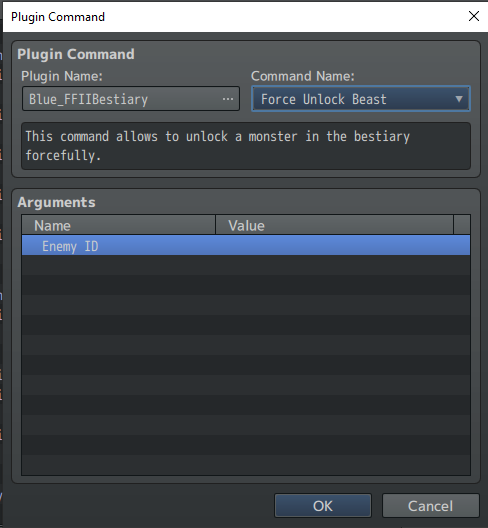
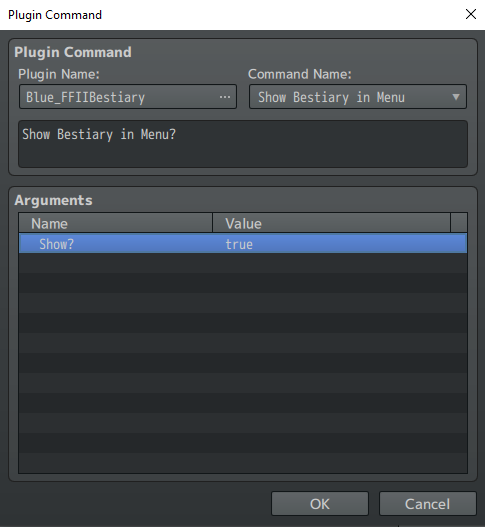
The plugin includes two Plugin Commands.
Force Unlock Beast
Forcefully unlocks a monster inside the Bestiary.
Use this command if you want to unlock an enemy through an event, story progression, reward, debug command or custom system.
Show Bestiary in Menu
Shows or hides the Bestiary command from the main menu.
This can be useful if you want the Bestiary to become available only after a certain point in the game.
PLUGIN COMPATIBILITY
The plugin includes compatibility handling for VisuStella Main Menu Core.
If VisuStella Main Menu Core is installed, the plugin will not automatically add the Bestiary command to the default menu.
In that case, you can add the command manually through VisuStella Main Menu Core parameters.
You can use the following settings as a starting point:
{"Symbol:str":"_bestiary","Icon:num":"50","TextStr:str":"Bestiary","TextJS:func":"\"\"","ShowJS:func":"\"return !!$gameSystem._showBestiary\"","EnableJS:func":"\"return true\"","ExtJS:func":"\"return null;\"","CallHandlerJS:func":"\"SceneManager.push(Scene_Bestiary)\"","PersonalHandlerJS:func":"\"\""}
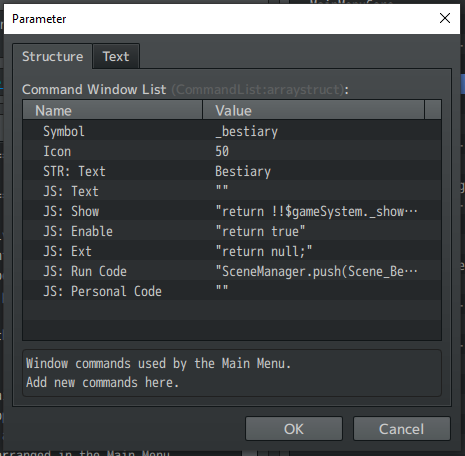
You can edit the icon, text, visibility condition or command behavior depending on your project.
RPG MAKER VERSION
The plugin is developed on Rpg Maker MZ - Version 1.10.0 and with the related PIXI.js Version 5.3.12.
This plugin is NOT compatible with RPG MAKER MV.
TERMS OF USE
- Credits to BlueMoon / Sparrow Tales.
- Credits are required or highly appreciated, depending on the license included with the downloaded package.
- You may edit the code for your own project.
- This plugin can be used in both commercial and non-commercial projects.
- Do not redistribute this plugin as-is.
- Do not incorporate portions of this plugin into another plugin for redistribution.
- Do not remove or alter the plugin header information, filename or parameter names.
Purchase
In order to download this Rpg Maker MZ - Plugin you must purchase it at or above the minimum price of $4.99 USD. You will get access to the following files:
Development log
- FFII Bestiary updated to v1.3.014 days ago
- Update v1.2.1! Small bug-fixDec 10, 2021
- Update v1.2.0! Polishing and AdditionsAug 29, 2021
- Update v1.1.0! More VisuStella's compatibility fixAug 09, 2021

Comments
Log in with itch.io to leave a comment.
Hello fix the plugin, I'm having problems, it doesn't work correctly, opens the whole bestiary without having seen it, if you click sideways it bugs and shows everything that the enemy can drop, I bought it for commercial use, but you can put it if it is working correctly with errors and bugs. Could you correct it? This plug-in is not free, I bought it to use in the commercial game.
Hello! Thank you for reporting and I'm sorry for the issues. This plugin is part of my plugin update plan. The bugs you reported, along with others I have been informed about, are currently being fixed. A new, corrected version will be released by the end of this month.
Thank you for your patience!
You're welcome, the bestiary opens everything by itself on some computers, besides the bug that when clicking prolado in the menu seeing the creature shows everything that was hidden in case you click sideways, I really want to launch my game and have this bestiary option, if I can I would like you to put a mode that could put mulatto languages, It would be good for those who are going to put it in English and other languages.
Treasure listing doesn't work; after you close and reload the game it automatically fills in all entries up to the highest one defeated (whether those enemies were encountered or not); Makers suggestion for adding a description tag doesn't work. This Plugin has some issues that need to be fixed before it is actually usable.
Hi. Was the ability to use a notetag to exclude a monster from the bestiary added?
Hello there! Thank you for your interest.
Actually, the update is still not available - due the lack of time I had recently - but it will be done for sure in the near future, since I will add some new content as well.
Stay tuned! <3
I highlighted this plug-in in my latest video! Thanks for making it!
Thank you for the highlight!! It's much appreciated!
I'm very sorry to report it, but this plugin breaks Visustella's Death Transform from Life State Effects. I understand that it was one of the later additions to that plugin, but it's here nonetheless.
With the Bestiary plugin enabled, the newly transformed enemy dies immediately. Thank you in advance.
I'd be willing to commission like 20$ for default support for the Descriptions and for a tag to exclude a monster from the bestiary!
Is it possible to get a note tag to exclude an enemy from the beastiary? Also I cant get the Fluff Description thing you posted to work it just says ERROR
Hi there! About the notetag for excluding an enemy from the bestiary, this is a good idea! I'm going to put this in a plugin update.
About the way of adding a description, can you show me how have you configured the whole thing? :)
Yea I've put
<BeastProfile: Hello World!\nNew Line!>
In the enemies' note tags
and I've put into the Info Window Lines As such
Line name
Profile
Value
text = !!enemy.meta["BeastProfile"] ? enemy.meta["BeastProfile"].trim() : ""
Can entries display a bit of fluff description?
Hi there! Inside plugin parameters, you can customize the lines of the information window.
Specifically, you can try to insert a line named "Profile" or "Description" and add all the text you want, being careful to add linebreaks for a pleasant reading. For adding an enemy description in database, I would suggest to add something like a meta tag in enemy notes.
<BeastProfile: Hello World!\nNew Line!>
For parsing this value, you would do something like:
text = !!enemy.meta["BeastProfile"] ? enemy.meta["BeastProfile"].trim() : ""
Using an inline condition like that would prevent the case of the absence of such a tag and parse a void string :)
Thank you so much! Is this compatible with Visustella?
Yes, you can find more detailed information in the "PLUGIN COMAPTIBILITY" description above. Essentially, the plugins works without issues within Visustella's cores and with all the plugins that not affect intensively the default RPG MAKER MZ or the referenced scene.
Good evening! Thanks a lot for all of your cool new features, fixes and additions; I enjoyed them very much! However, I still experience one problem - background doesn't scale to my screen's width (my game runs in 1280*720). Instead, it scales to its height, just as you mentioned in devlog. I would very appreciate the existence of an option that allows you to switch between the two. Other than that, stellar work, as always!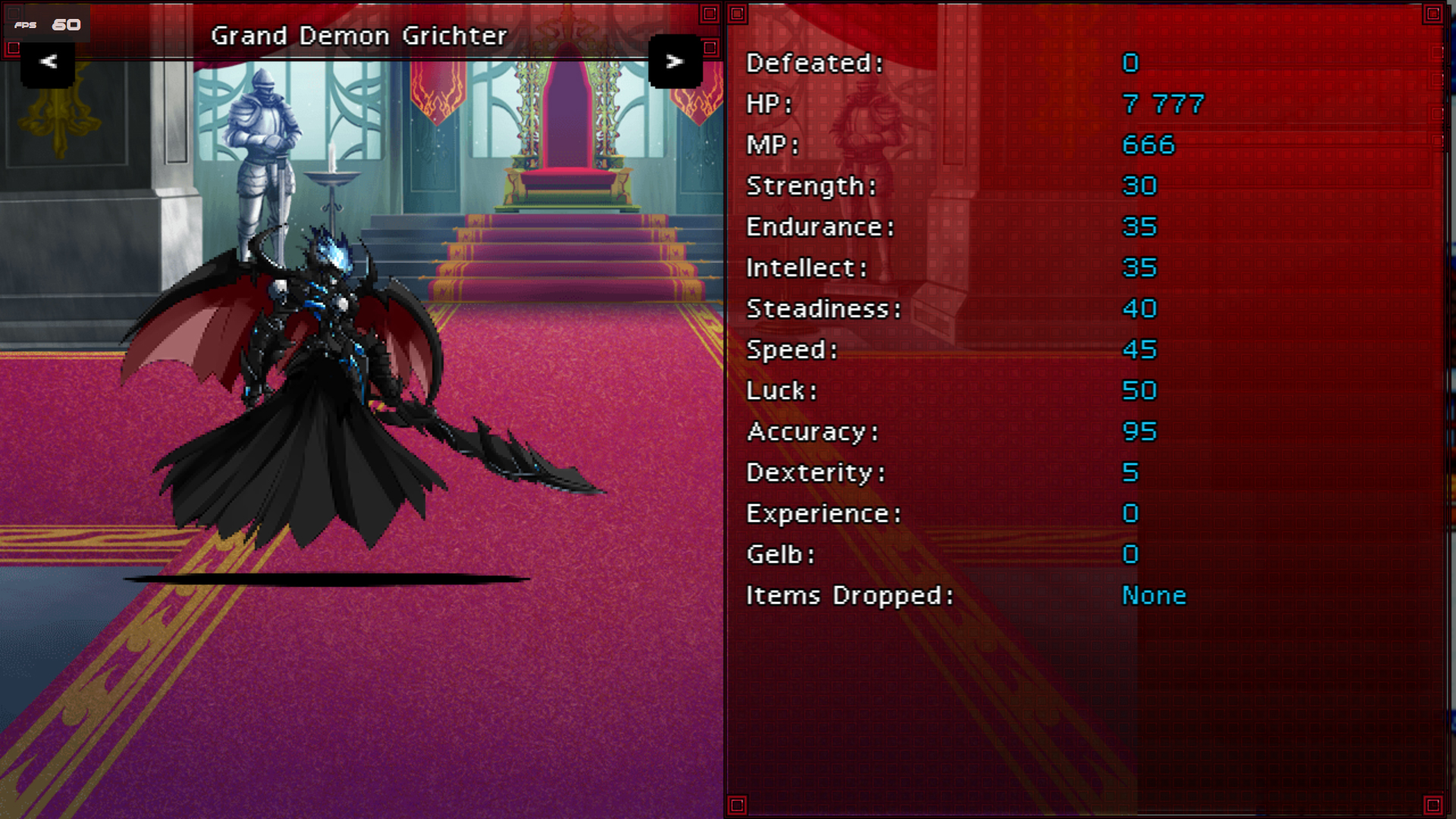
The text in bestiary scene itself has also moved to the right somehow. Not sure if this is intended.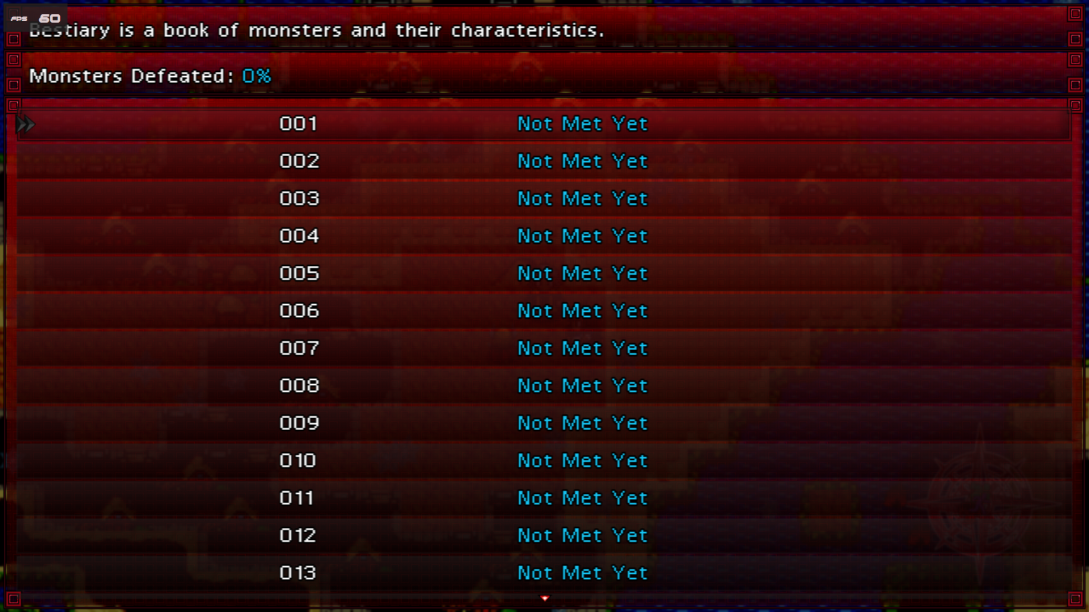
Good day!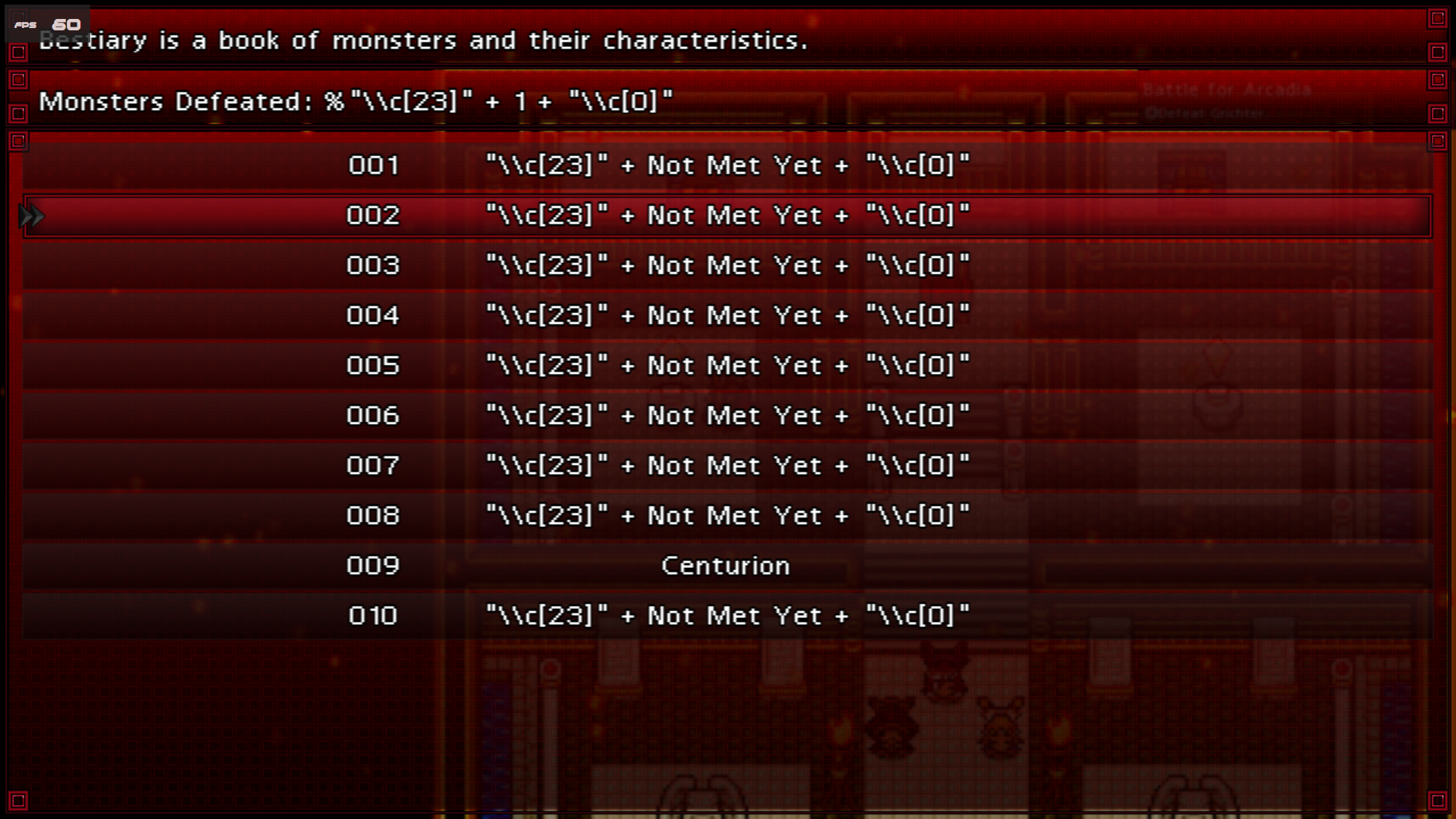

The plugin works perfectly, and I like it very much, but can you include textcodes support? I want to add come colour to the text.
I'm a little discomposed by plugin requesting enemy sprites to be included in img\enemy folder, while my game draws them from img\sv_enemy. It might bloat the filesize very much.
Also, the backgrounds are not scaled to the screen size if not 1:1 equal with background's resolution.
Hello there!
Thank you very much for your nice feedback! It will be released asap a new version of the plugin that actually contains the features/fixes you reported in your message.
Please, stay tuned! :)
Thanks a lot! It is always very glad to hear words of support from developer!
Hey! Plugin has been updated to version v1.2.0. Thank you for your feedback!
Wow, thanks a lot! That's one pleasant surprise! ❤️
i found a bug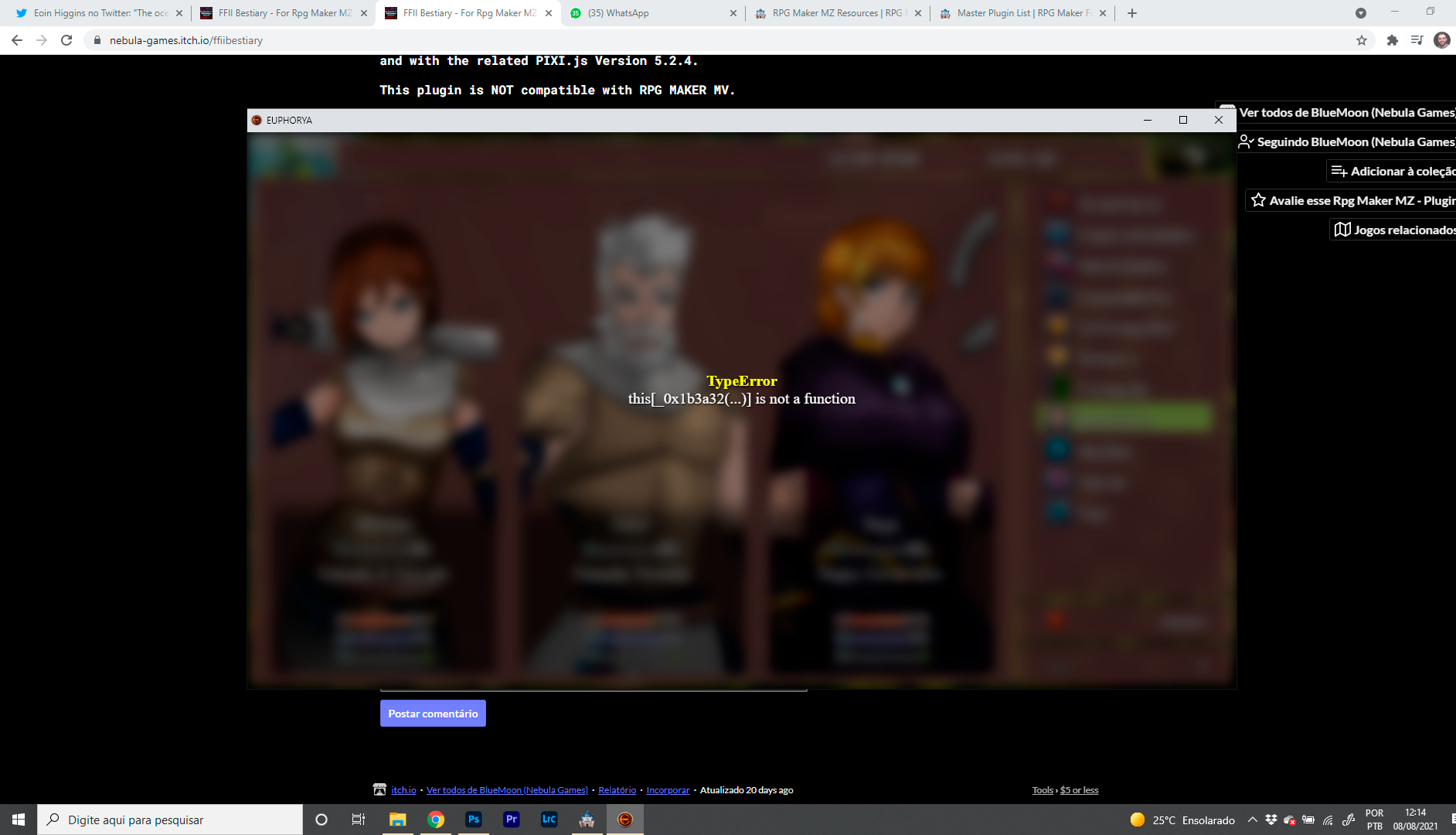
Looking at the screen seems a bug related to a Visustella's plugin. I'm going to give a test within the core plugins to see if I can replicate.
Thank you for reporting!
Hey! Plugin has been updated v1.1.0, probably the bug you reported should be solved now.
thanks, i will test after work and bring feedback
the option no longer appears in the menu, the parameters are activated
Take a look on the post Iwritten for the update :)
You Will find a parameter config for the Visustella MenuCore
I have added a Better compatibility with VisuStella MenuCore, allowing developers to add the command through the parametera of the menu core. So, when Visu Menù Core Is in the project, the "Show In Menù" parameters Will Just be used as a flag.
works perfectly! thank u
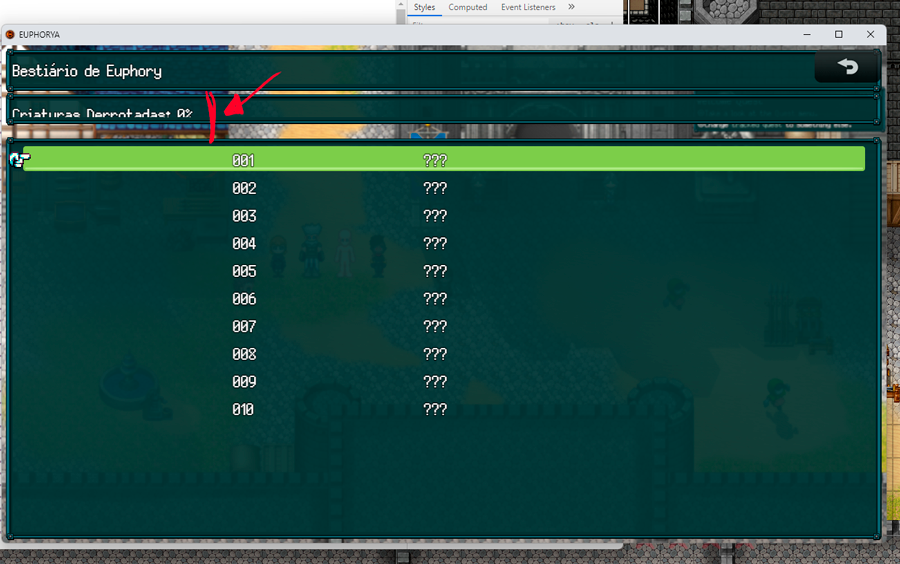
now, how can i adjust this line?